Skip to content
Request a proposal
Prototic Software · Mobile apps

Custom apps,
for Android and iOS.

We build the app your team uses wherever the work happens, in the office or out in the field. It follows the way you work, runs without signal when needed and sends everything to the system your company already uses. You approve every step.The app your team uses wherever the work happens. It works without signal and sends everything to your company's system. You approve every step.

When it makes sense

When the work happensaway from the desk.

A desktop system handles the work of people at a desk. When your team works on the road, at client sites or in the warehouse, writes things on paper, sends photos over chat and someone types it all in later, the answer is an app built for the way they work. See if any of these sound familiar.When your team works on the road, at client sites or in the warehouse, they write things on paper and someone types it all in later. See if any of these sound familiar.

An operations supervisor checks a list on a paper clipboard and on her phone, between the shelves of a distribution center.

You needWe do

  1. “The team writes it on paper and someone types it in later.”

    An app with your process's form that sends everything straight to the system.

  2. “Where the team works, the signal drops.”

    An app that works offline and sends what it saved once the connection is back.

  3. “The client asks for proof and the team has none.”

    Photo, recipient's signature, time and location, logged right in the app.

  4. “The sales rep calls the office to check price and stock.”

    The catalog, price list and stock on the phone, with the order placed during the visit.

  5. “The decision waits for the manager to get back to the desk.”

    Approvals and KPIs on the phone, with an alert when something needs them.

  6. “The company app freezes and nobody updates it.”

    A new version, with the data and what already works, up to date with app store rules.

Examples by area

What you can puton your team's phones.

Each app grows out of a team's work and puts on the phone only what they use away from the desk. These are among the most requested. Yours could be one of them, a mix of several or something only your company does.Each app puts on the phone only what the team uses away from the desk. These are among the most requested.

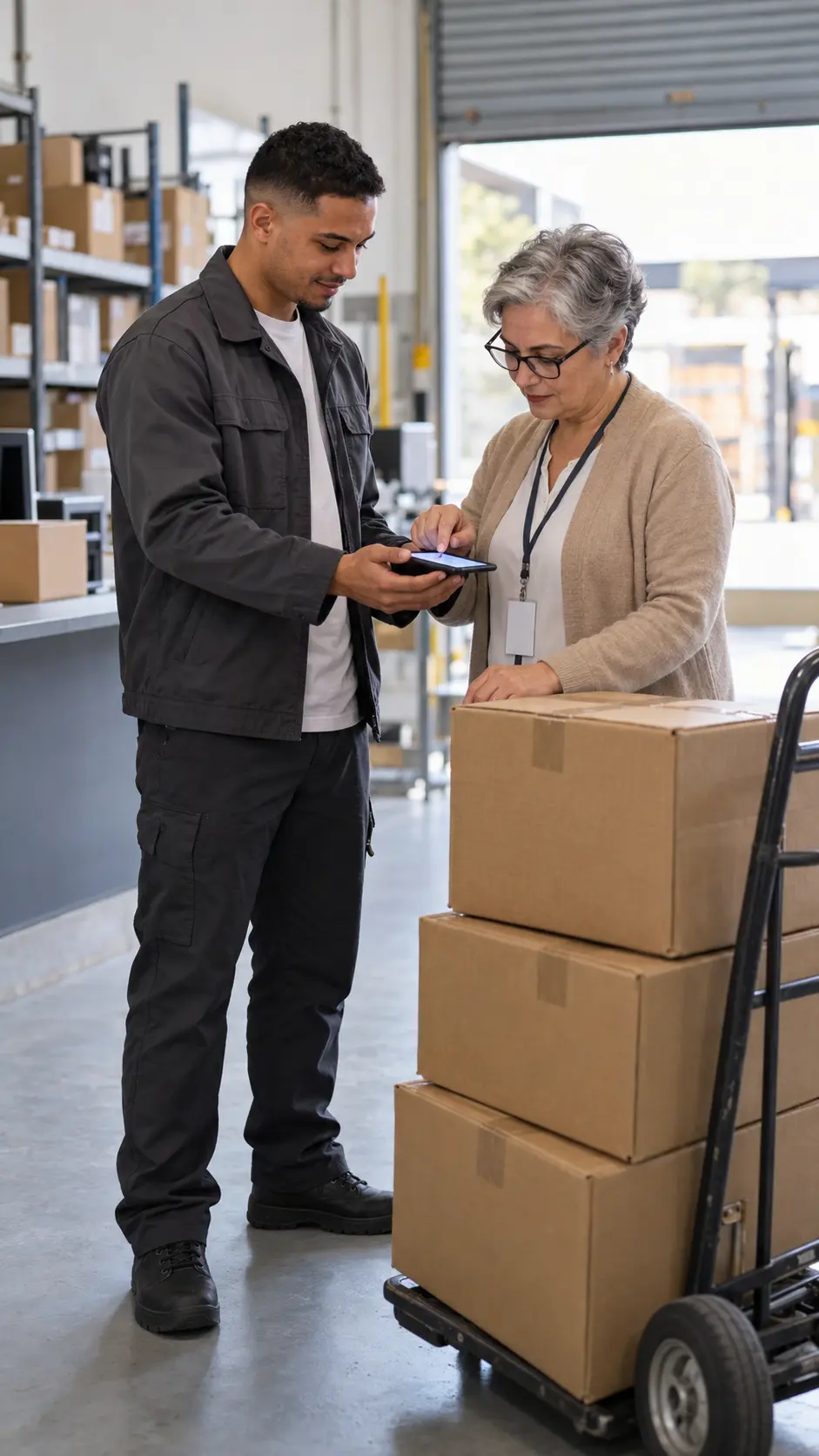
In a company's receiving area, the person accepting the delivery signs on the driver's phone screen, next to the boxes.

The ten most requested

  • Field serviceService visit

    The day's job on the technician's phone, closed out with a photo and the client's signature.

  • SalesSales rep app

    Catalog, price, stock and ordering during the visit, even with no signal.

  • Trade marketingStore visit

    The merchandiser logs price, display and out-of-stocks, with photos, store by store.

  • LogisticsProof of delivery

    The day's route and proof of each delivery, with photo, signature and location.

  • StockroomInventory

    Counting and checking, with the camera reading the barcode.

  • Workplace safetyWork permit

    The safety checklist with photos, signed before the work starts.

  • OperationsSite audits

    Each site visit with a checklist, photos and a tracked corrective action plan.

  • LeadershipApprovals

    Purchases, expenses and contracts approved on the phone, with an alert when something is waiting.

  • PeopleEmployee app

    Announcements, requests and documents in one place, for people without a computer.

  • Customer careCustomer app

    Customers track orders and deliveries, with alerts at each step and your company's brand.

How we do it

You approve every step.We stand behind each one.

The same method on every project, with one person accountable from the first meeting to support. At each step, you see what we do, what you get, who on your team takes part and what you approve.The same method on every project, with one person accountable from start to support. At each step: what we do, what you get, who's involved and what you approve.

Step 011 / 6

Discovery

What we do
We shadow the team where they work and map what they record, where the signal drops and what needs to reach the system.
You get
The scope in writing: what's included, the devices, whether it goes to the stores or to the team only, the steps and the investment.
From your company
  • Decision makers
  • Field staff

You approve

Scope and proposal.

On every project
  • Built to growThe system keeps up as the company grows.
  • Connected to what you haveERP, CRM, payments and invoicing, connected in the project.
  • Security and LGPDProtected data, and each person sees only what they should.
  • The app is yoursCode, documentation and the store accounts in the company's name.

The full method, including the tech and the team, is covered in How we work

Trust

In your company's name,from code to stores.

The app, the code, the data and the store accounts are in your company's name. It asks only for what the work needs, protects what stays on the device and is updated every year to meet Apple's and Google's rules, by the people who built it.The app, the code, the data and the store accounts are in your company's name. It asks only for what the work needs and is updated every year to meet Apple's and Google's rules.

A developer on the project team writes the app's code, with the app screen open beside it and a phone on the desk.
  • In your company's name

    Code, data and the Apple and Google accounts in its name.

  • No signal, no lost records

    What's done offline is saved and syncs when the signal returns.

  • Only what's needed

    Camera and location only during the task, with notice to the user.

  • Lost phone, data protected

    Login, data protected on the device and access revoked by the company.

  • Tested on your team's devices

    On the models they use, including the most basic ones, with and without signal.

  • Store-compliant

    The updates Apple and Google require every year, done by the people who built it.

The system behind the app runs on our managed hosting or on your company's cloud. Explore hosting

FAQ

Before takingthe app live.

What executives and managers ask before starting an app.

01Do you really need an app built for your company?

Not always, and we'll tell you so in discovery. If an off-the-shelf app fits the process, or if the team works with signal and a system that opens in the phone's browser is enough, that's usually the best path. A custom app pays off when the work is unique, needs to run without signal, use the phone's features or talk to the system the company already uses.

02How much does it cost, and how long?

It depends on what the app does, who will use it, the devices and the integrations. After your request, the sales team sends a written proposal, with scope, timeline and investment. You can start with a first version, putting the essentials in the team's hands before the rest.

03Do you need one app for Android and another for iPhone?

In most cases, no. We build a single app that works on both. When the work calls for a very specific feature of one of the devices, discovery shows that before the scope.

04Does it really work offline?

Yes, when the operation needs it: the app saves each record on the device, with date and time, and sends it when the connection returns. Discovery defines what works without signal and what happens if two people edit the same record.

05Does the app need to be in the stores?

If it's for customers or partners, it goes to the App Store and Google Play. If it's only for your team, it can be published privately, without showing up in store searches. The path depends on how the company manages its devices, and the proposal says which one.

06Whose name is the app under in the stores?

Your company's. The Apple and Google accounts are in its name, and our team joins as the developer, with the access you grant. To open a company account, the stores require a free international registration (the D-U-N-S number), and we help with the application.

07Does it work on the team's personal phones?

Yes. The app requires login, protects company data on the device and shows each person only what they should see. If someone leaves the company, their access is cut off, and if the company uses device management, the app is deployed through it.

08And when Apple or Google change the rules?

They change every year, and the app has to keep up to stay available and receive new versions. Support takes care of that, with updates made by the people who built the app and tested before they reach the team.

Proposal

Tell us how your team works today.We'll design the app.

Check what the app needs to solve and tell us how the work runs today. The sales team reads your request and sends a written proposal with scope, steps and investment.Check what the app needs to solve and tell us how the work runs today. The sales team sends a written proposal.

What the app needs to solve
Your request

Check what the app needs to solve. If you're not sure yet, the team will help you figure it out.

No spam · data protected · LGPD